Introduction to Solvronix Desk
Solvronix Desk is a professional white-label theme for Frappe / ERPNext v16 that makes your ERP look and feel like a modern SaaS product.
The Problem
ERPNext is powerful. But the default interface is overwhelming — too many menus, outdated design, and non-technical users struggle to find anything. Businesses reject ERPNext because it "doesn't look professional" or "is too hard to use."
Solvronix Desk solves this. Install it once and your ERPNext looks and feels like a tool people actually enjoy using — without touching a single line of your business logic.
Today's View — Smart Home Screen
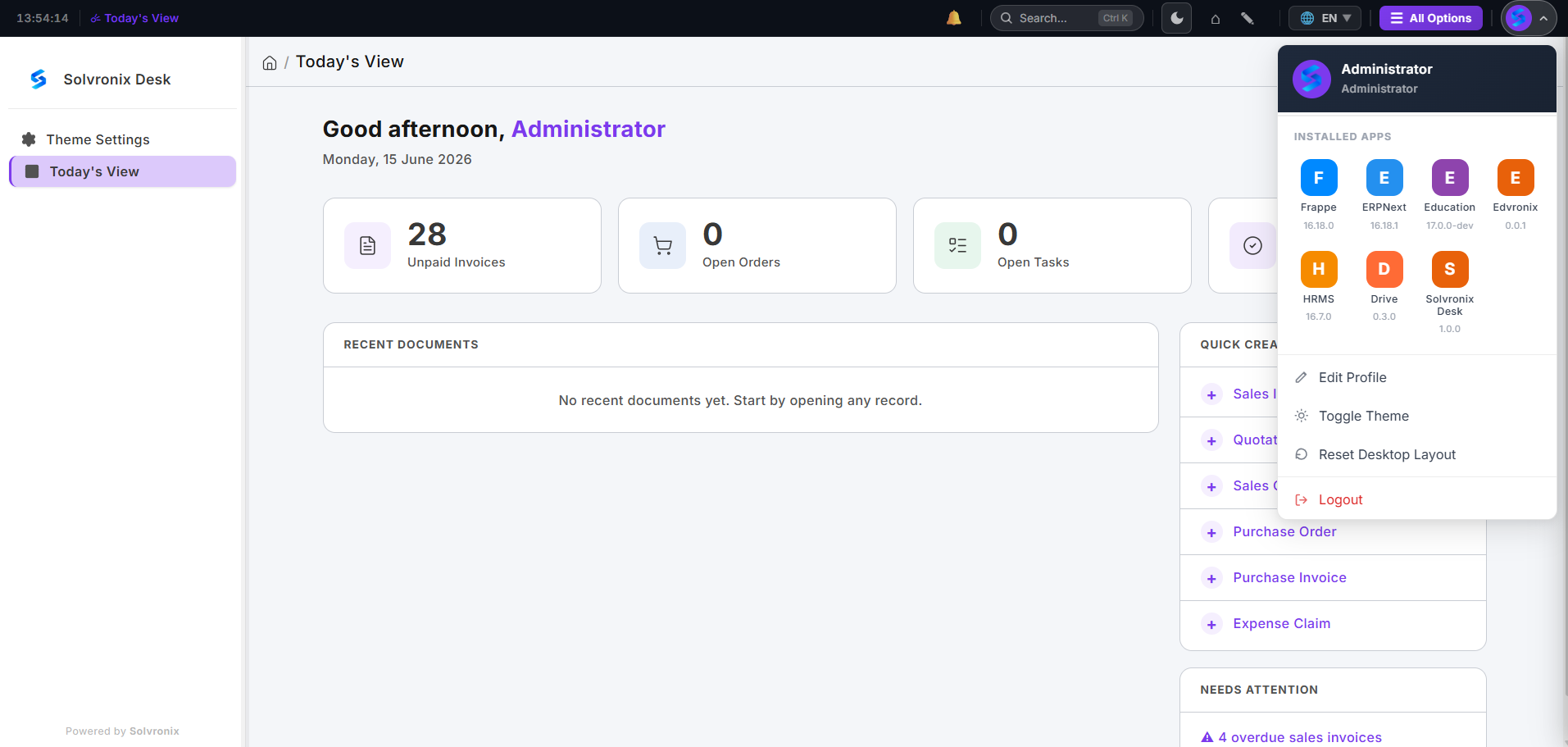
The Today's View replaces the default Frappe home with a clean smart screen showing unpaid invoices, open orders, open tasks, recent documents, and quick-create shortcuts — all in one glance.
Feature Summary
| Feature | Description |
|---|---|
| Command Palette | Press Ctrl+K from anywhere to search and navigate instantly |
| White-Label Branding | Set your company name, logo, and two brand colors — entire system updates instantly |
| Quick Color Presets | Four one-click color presets to get started in seconds |
| Auto Color System | You pick two colors; CSS color-mix() generates the full palette automatically |
| Slim Icon Sidebar | A 64px icon rail (like Slack) that expands to 240px on click |
| Dark Mode | One click toggles light/dark — both modes respect your brand colors |
| Modern Login Page | Full-screen branded login with your logo and colors |
| Smart Home Screen | Today's View with KPIs, recent docs, and quick-create shortcuts |
Compatibility
| Requirement | Version |
|---|---|
| Frappe Framework | v16 |
| ERPNext | v16 (optional — works on any Frappe app) |
| Python | 3.10+ |
| Node | 18+ |
Solvronix Desk works with ERPNext and any other Frappe-based application.
License
MIT License — free to use, modify, and distribute commercially.
Next Steps
Proceed to Installation to install Solvronix Desk on your Frappe site.